
Many businesses know that people visit their website from Google, but they can’t see whether those visitors clicked a normal organic result or the website button within their Google Business Profile.
Adding UTM parameters to the website link solves much of that problem. It creates a recognisable tracking label that can appear within Google Analytics and other website visitor analysis software.
The result is a clearer picture of how much website traffic, engagement and business your Google Business Profile produces.
A business might appear in several places during the same Google search:
Without additional tracking, Google Business Profile website visits can be difficult to distinguish from broader Google organic traffic.
This creates several unanswered questions:
Knowing that your Google Business Profile was viewed is useful. Knowing that someone clicked through, viewed three pages and completed a contact form is much more valuable.
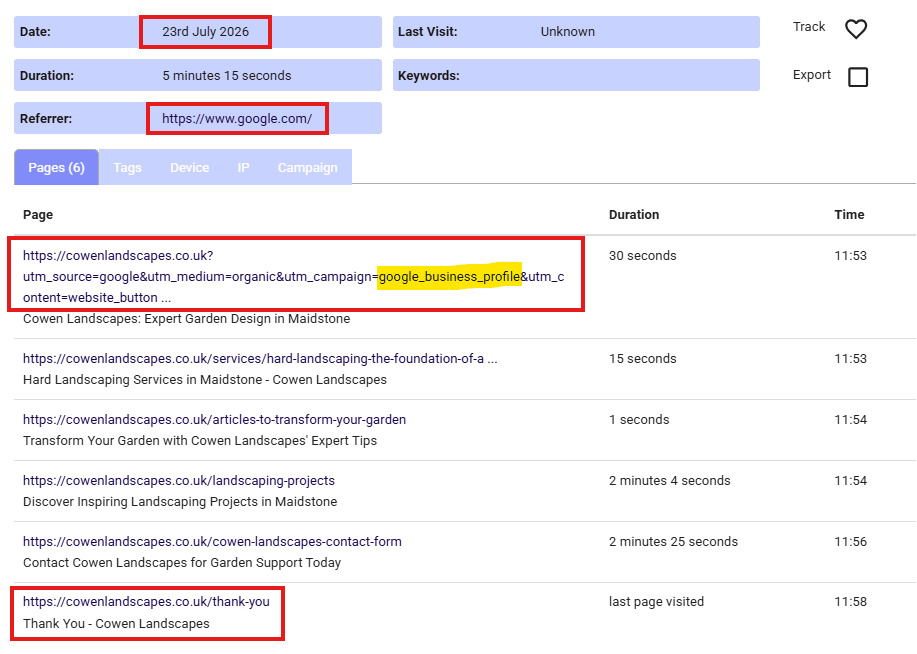
Here’s an example showing the click came from the Google Business Profile, and the visitor went on to complete the enquiry form:
UTM parameters are short tracking labels added to the end of a website address. They tell analytics software more about where a website visit originated.
Google states that campaign parameters added to destination URLs allow Analytics to identify which campaigns referred traffic.
I advise using these:
utm_source=google (source identifies the platform)
utm_medium=organic(medium identifies the type of traffic)
utm_campaign=google_business_profile (campaign identifies the particular link or marketing activity)
For example:
https://www.example.co.uk/?utm_source=google&utm_medium=organic&utm_campaign=google_business_profile
The important point is consistency. Google recommends using relevant UTM parameters consistently because incomplete or inconsistent tagging can fragment reporting.
However, it doesn’t really matter what you use, as long as they make sense to you. For example, some people may use utm_medium=organic (meaning it came from an organic click) whereas others may use utm_medium=local (meaning it came from a local page listing). It’s your choice – it just has to make sense when you look at it within analytics.
Most businesses will use their homepage as the landing point from the Website link in their Google Business Profile.
Google provides a Campaign URL Builder that adds campaign parameters to a website address.
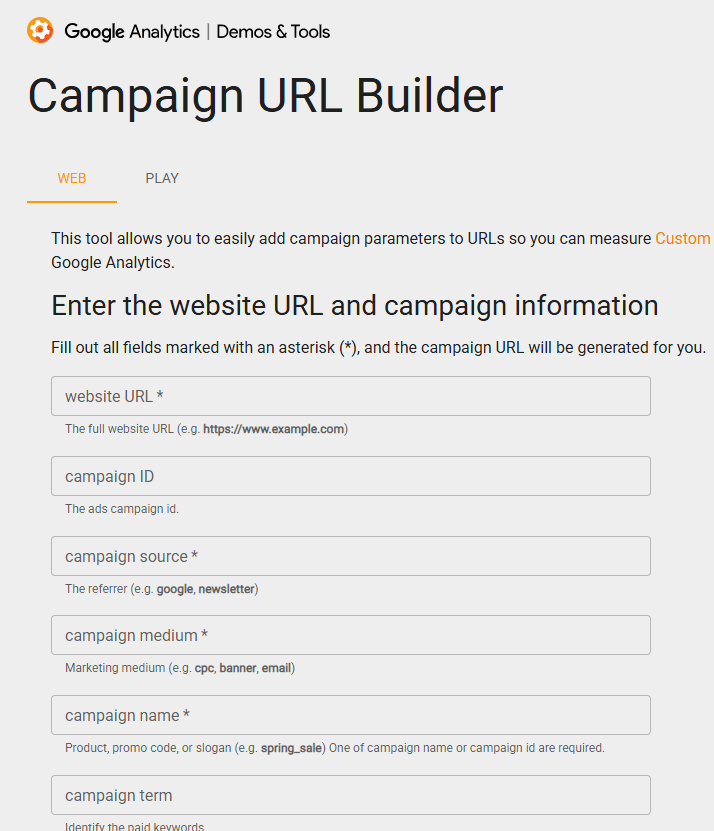
Then complete these fields always using lowercase and use underscores instead of spaces – this matters! …

You will see when you scroll down that you have a new UTM-tagged website address.
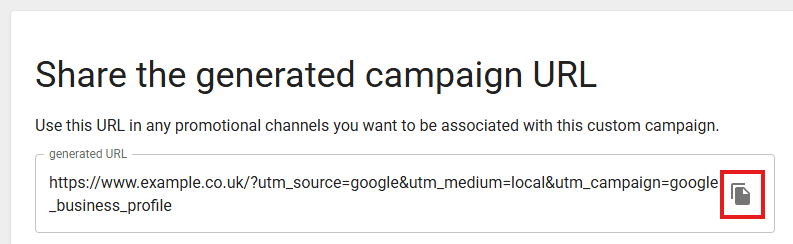
That new URL does not redirect visitors to another URL – it’s the same landing page with trackable parameters on the end.
Google’s current guidance is to open the Business Profile, select Edit profile, make the required change and save it.
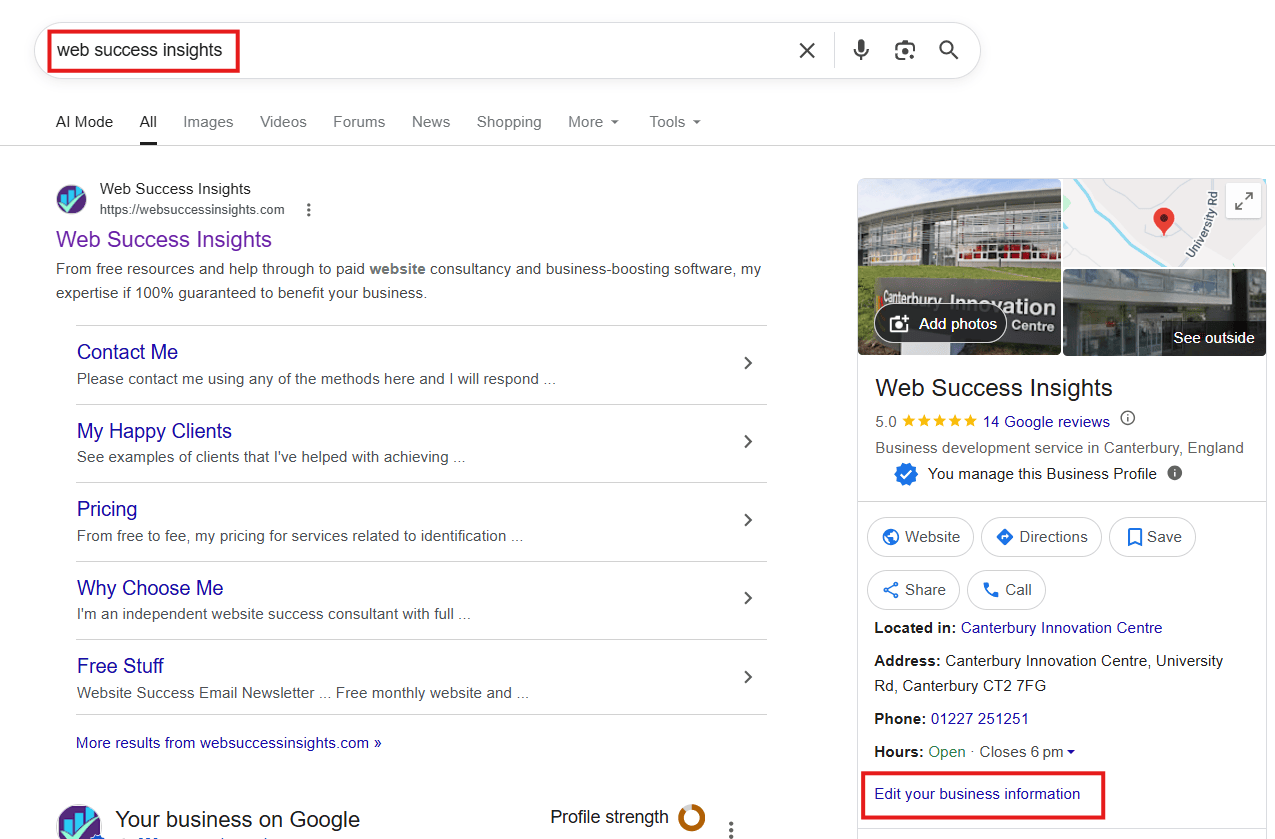
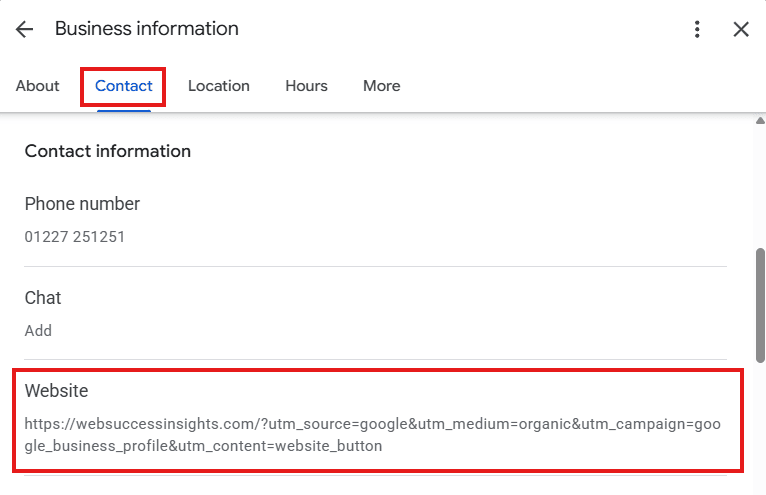
Check the public profile after Google processes the edit by clicking on your Website link to check that it goes to the url with the UTM parameters attached. You may have to wait a few minutes for Google to update the change before you do this.
Google often changes the location of where to find things in GA4 but as at August 2026 you go to:
Reports – Acquisition – Traffic acquisition
… and then filter by Session campaign
Below there you should find numbers of visits as you named them. For example:
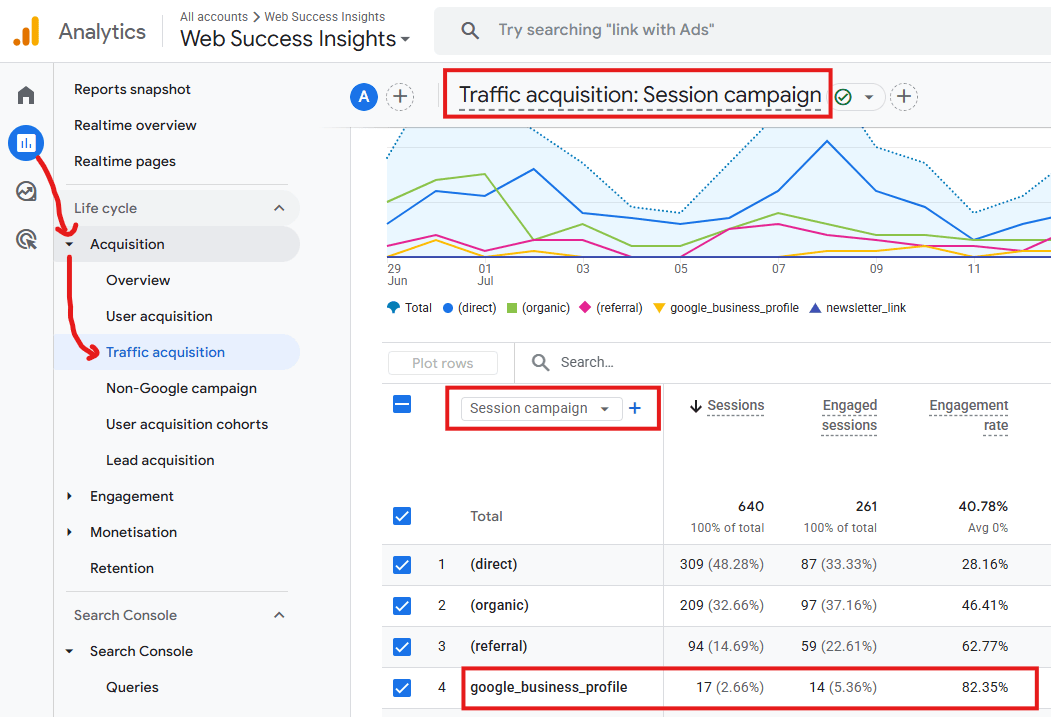
This will show you number of sessions (people who clicked through), engaged sessions, engagement rate and more.
Yes, and it’s extremely useful to see what people searched for before clicking on the Website link within your profile.
This video shows you how it does that after you’ve set up utm parameters to separate out those searches and clicks from others:
Using the software that I supply (free to trial for 30 days), you can get a granular view of what happens from each Google Business Profile click on your website address.
They can be good outcomes, such as this one, which shows:
They can be more general outcomes, such as this one that shows the same types of data but in this case the visitor looked at a few pages but didn’t make contact:
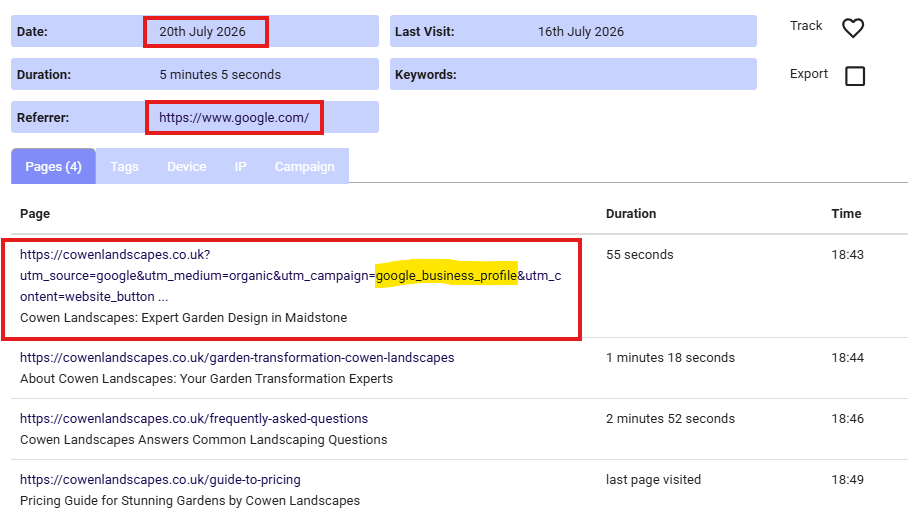
The examples above originated from a nice problem to have – my consultancy client was getting lots of enquiries and although some were easy to identify the sources, many were showing as ‘organic Google’ but it wasn’t easy to separate out those that came via the Website link within the Google Business Profile listing.
Now we can link actual enquiries back to sources, so that when those enquiries become paid work, we see evidence that the Google Business Profile visibility facilitated the original enquiry.
This type of work is all part of my services that help small businesses to gain more from their website visitors and marketing.
If you would like to see whether your Google Business Profile visitors become genuine enquiries, start by adding the UTM parameters described above. You can then contact me if you need help interpreting what those visitors do after they arrive – it costs nothing for a quick Zoom to point you in the right direction.