
Getting more visitors to a Shopify store is only useful if enough of those visitors go on to buy.
That sounds obvious, but it is surprisingly easy to concentrate on traffic, SEO, Google Ads or social media while overlooking what happens after somebody arrives. If 1,000 people visit your store and very few become customers, attracting another 1,000 people may simply make the same problem more expensive.
If you want to increase sales on Shopify, the starting point should therefore be conversion: understanding what proportion of visitors buy, where potential customers are dropping out of the buying journey, and what may be stopping them from completing a purchase.
The good news is that Shopify provides useful data to help with this. Combine that data with a structured review of your product pages, navigation, delivery information, checkout process and traffic sources, and you can begin to identify where the biggest opportunities lie.
This guide looks at how to improve Shopify conversion rates and generate more sales, with particular consideration for businesses selling to customers in the UK.
Your ecommerce conversion rate is essentially the percentage of visits to your store that result in an order.
For example, if your Shopify store receives 2,000 sessions during a month and 40 of those sessions result in purchases, the store’s conversion rate is 2%.
It is an important number, but it should not be viewed in isolation.
A conversion rate of 2% might be disappointing for one type of business and perfectly respectable for another. Product price, industry, purchase frequency, traffic source, device and whether visitors already know your brand can all have a significant influence.
Shopify’s current guidance suggests that broad global ecommerce averages often sit somewhere around 2% to 3%, but it also stresses that conversion rates vary substantially by sector. Rather than treating one figure as the definition of a ‘good Shopify conversion rate’, compare like with like and, importantly, compare your store with its own previous performance.
If, for example, you improved from 1.2% to 1.6% without attracting any additional traffic, that improvement could translate directly into more sales.
That is the basic attraction of conversion rate optimisation: making better use of visitors you are already attracting.
If you want to look at the subject beyond Shopify specifically, my complete guide to website conversion optimisation explains the wider principles involved in turning more website visitors into customers or enquiries.
A headline conversion rate tells you that there is a problem or opportunity. It does not tell you where it is.
Shopify’s Conversion rate breakdown is much more useful for that.
Its standard funnel looks at:
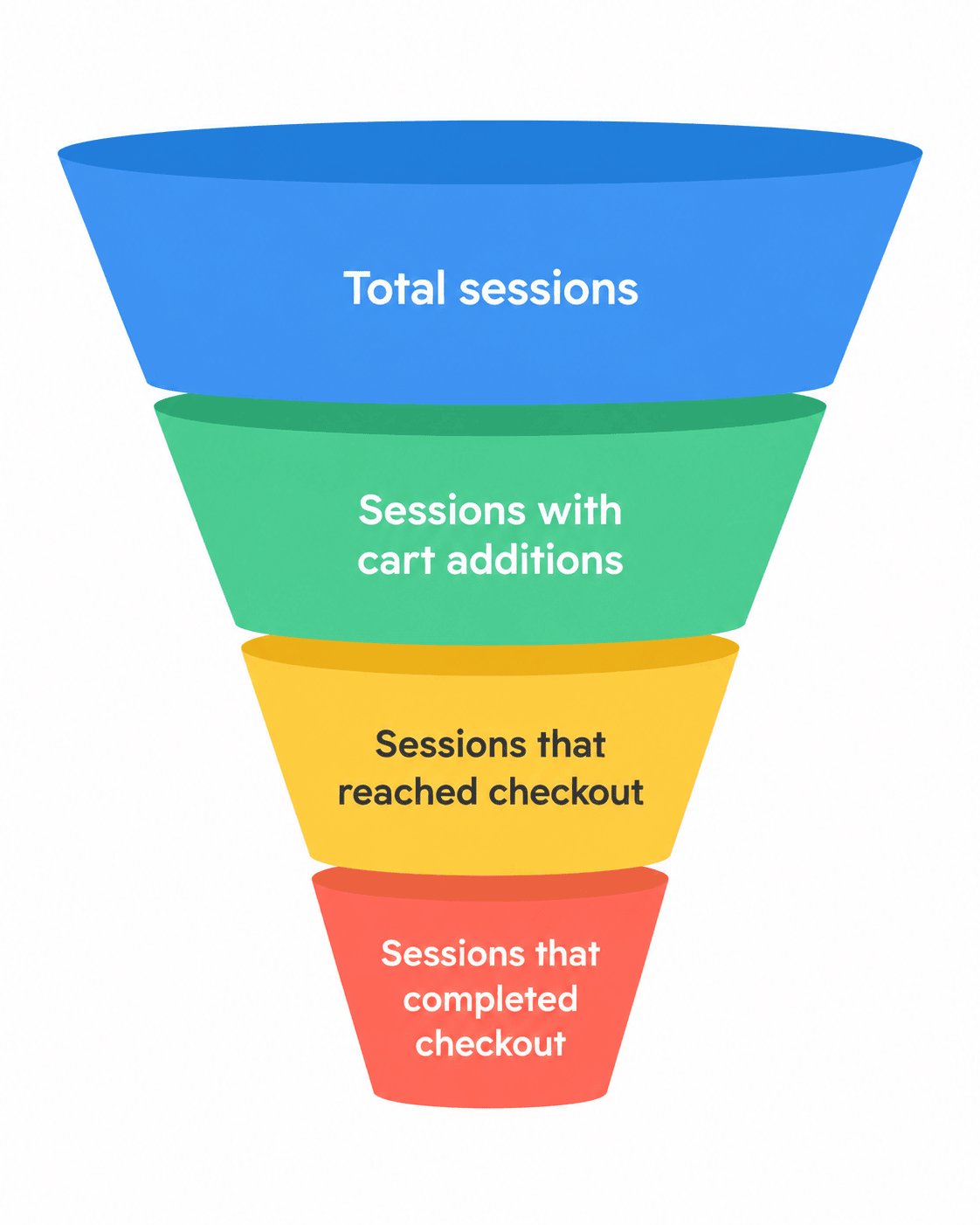
That allows you to see where the biggest reduction is occurring as people progress towards a purchase.
This distinction matters.
Imagine that plenty of people visit your store but hardly anybody adds a product to their basket. That points you towards investigating your product pages, products, pricing, offer and traffic quality.
Alternatively, perhaps plenty of customers add products to their baskets but comparatively few reach the checkout. That might indicate a problem with the basket experience, unexpected delivery charges or uncertainty about the purchase.
If plenty of customers reach checkout but do not complete it, investigate payment options, delivery information, trust, checkout friction and whether additional costs are appearing too late.
The funnel does not automatically tell you what the problem is. It tells you where to investigate.
That is an important distinction. Low add-to-basket activity does not necessarily mean you have a badly designed product page. Perhaps the wrong people are arriving in the first place. Perhaps your price is uncompetitive. Perhaps customers cannot tell when the product will arrive.
Treat the analytics as a diagnostic tool rather than an automatic answer.
An overall conversion rate can hide important differences.
Suppose your overall Shopify conversion rate is 1.8%. That does not mean every type of visitor is converting at 1.8%.
You might discover that:
This is why conversion analysis should connect with your wider marketing data.
If one source produces 500 visitors and 20 customers while another produces 1,000 visitors and five customers, focusing only on traffic would give you a very distorted picture of which source is working.
The question should not simply be: How can I get more visitors to my Shopify store?
It should be: Which visitors are most likely to buy, and what can I do to help more of them complete their purchase?
For many ecommerce stores, the product page is one of the most important conversion points on the website.
Some visitors will arrive directly from Google Shopping, organic search, social media or advertising without having seen your homepage first. Your product page may therefore need to do much of the selling on its own.
In those situations, the product page is effectively acting as a landing page. Many of the same landing page optimisation principles apply: matching the visitor’s expectations, answering their questions, building trust and making the next action obvious.
A strong Shopify product page should answer the questions somebody is likely to have before they buy.
Depending on what you sell, those questions might include:
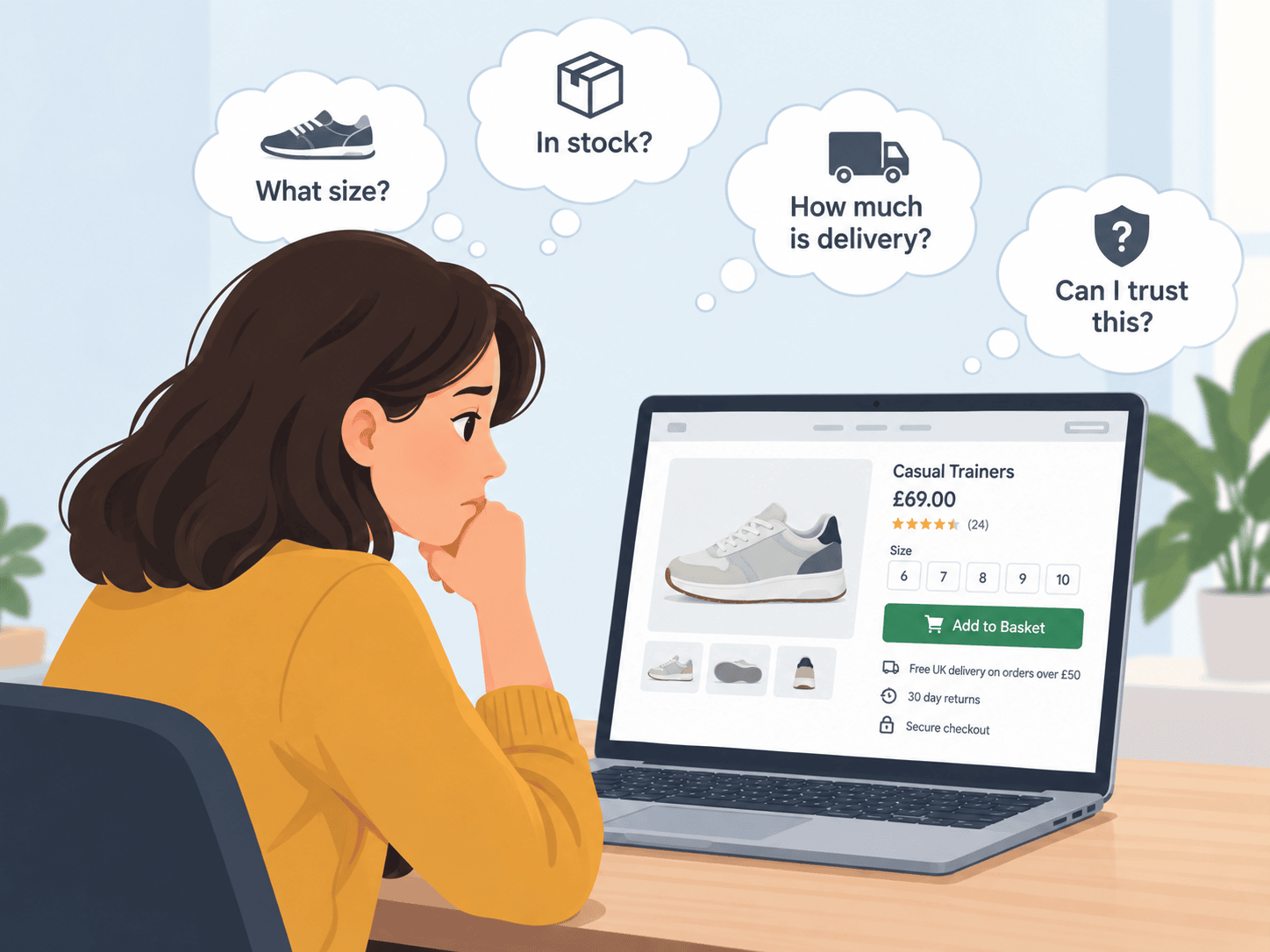
The fewer unanswered questions you leave, the less uncertainty a potential buyer has to overcome.
Shopify product descriptions can help with SEO, but attracting somebody from Google or AI search is only half the job.
Once they arrive, the description also needs to help them decide whether to buy.
Avoid relying solely on generic manufacturer descriptions. Explain the product clearly, focusing on information genuinely useful to the buyer.
That might include dimensions, materials, compatibility, care instructions, practical benefits, intended use, warranties, and anything else customers regularly ask before purchasing.
Shopify currently includes Shopify Magic, which can generate draft product descriptions from information you provide. It can be useful as a starting point, but AI-generated content still needs checking for accuracy before publication.
Whether descriptions are written manually or with AI assistance, they should ultimately sound like your business and accurately reflect the product.
For a UK audience, also make sure terminology, measurements and sizing make sense to UK buyers.
Customers buying online cannot pick up the product, inspect it or try it before ordering.
Your images have to compensate for that.
Use several clear photographs where appropriate. Show different angles, close-ups, important details and the product in context so customers can judge size and appearance.
For products where movement, scale, texture, fit or operation are difficult to communicate through still photographs, a short useful video may help.
Image alt text should also describe images appropriately. That improves accessibility and can help search engines understand the image content.
The objective is not to add media for the sake of it. Every image or video should help answer a question or remove uncertainty.
Look at one of your own product pages as though you have never seen the business before.
Within a few seconds, can you identify:
The main purchasing action should be visually obvious.
Avoid burying essential buying information beneath lengthy descriptions, promotional graphics or unrelated content.
On a mobile phone in particular, make sure somebody does not have to work unnecessarily hard simply to understand what they are buying and how to buy it.
Delivery can have a substantial effect on ecommerce conversion – particularly in a world where so many are familiar with free delivery included on systems such as Amazon.
A customer may like the product and accept the price but still hesitate because they do not know:
Do not wait until the final stages of checkout to reveal important delivery information if you can communicate it sooner.
For UK customers, clear delivery expectations can be particularly important where there is a choice between standard and next-day services or where orders have specific cut-off times.
If you offer free delivery above a threshold, make that clear. It may both remove uncertainty and encourage customers to add another product to their order.
Your delivery and returns information should also reflect the consumer rights that apply to online and distance selling in the UK and the products you sell. Online retailers selling to UK consumers have specific obligations concerning information supplied before purchase and cancellation rights, subject to exceptions.
The main conversion lesson is simple: do not make customers hunt for important information.
An established national retailer benefits from years of brand recognition. A smaller Shopify store may not.
People rarely think twice about buying on Amazon or eBay, but hesitate when using unknown websites.
A potential customer arriving for the first time may therefore be thinking: Is this a genuine business, and am I comfortable giving it my money?
Trust can be strengthened through a combination of seemingly small things:
Customer reviews can be particularly useful because they answer a different question from your own marketing copy.
You can say that a product is excellent. A customer wants to know whether people who have actually bought it agree.
Conversion problems do not exist only on product pages and at checkout.
If customers cannot find the right product, they cannot buy it.
Keep your main navigation straightforward and organise products around the way customers are likely to look for them rather than around your own internal terminology.
Large catalogues benefit particularly from sensible collection structures and filtering.
Shopify Search & Discovery can be used to configure filters that allow customers to narrow products by criteria such as price, availability and product attributes, provided the storefront theme supports the relevant features. It can also be used to manage product recommendations and aspects of storefront search.
Think about the customer who knows roughly what they want but not exactly which product.
Can they move from a broad category to a manageable shortlist quickly?
For example, somebody looking at 100 pairs of shoes may want to filter by size, colour, style and price. Somebody looking at electrical products might want compatibility, capacity or specification filters instead.
Good product discovery reduces the amount of work required before somebody reaches a purchase decision.
Do not evaluate your store only from your computer.
Go through it on your phone.
Start from the type of page somebody might actually enter from Google, an advert or social media. Browse a category, select a product, choose an option, add it to your basket and go through checkout.
Look for anything that makes the process unnecessarily difficult:
Do the exercise on more than one type of phone if possible.
The fact that a Shopify theme is designed to be responsive does not guarantee that the experience you have created within that theme is easy to use.
Once somebody reaches checkout, you have already done a considerable amount of work.
They found your business, looked through your products, chose something and decided to start buying it.
Avoid introducing unnecessary reasons to reconsider.
The payment methods available will depend on your Shopify setup and eligibility, but the payment methods available through Shopify Payments in the UK include major cards along with accelerated payment options such as Apple Pay, Google Pay and Shop Pay. Klarna is also available as a local payment method for eligible UK customers and merchants.
You do not need to offer every payment method available.
The objective is to avoid losing a customer unnecessarily because the payment method they reasonably expected to use is missing.
Requiring somebody to register before they can buy introduces friction into the checkout.
Unless there is a strong reason for doing so, allowing customers to buy without first creating or signing into an account removes that obstacle.
An account can still provide benefits for repeat customers, but it does not necessarily need to be a condition of making a first purchase.
One of the simplest conversion exercises is also one of the most overlooked.
Buy something from your own store.
Do not simply preview the theme. Go through the process as a customer would.
Check:
Small problems are much easier to notice when you actually attempt to complete the task yourself.
Not everybody who abandons a checkout has permanently decided against buying.
People get distracted. They want to compare another product. They decide to check their bank account. Their child needs attention. Their train arrives. They simply forget.
That makes abandoned checkout recovery worthwhile.
Shopify provides abandoned checkout automation that can send customers a link back to an incomplete checkout.
Do not assume that every recovery email needs an immediate discount.
Sometimes the reminder itself is enough.
Repeatedly teaching customers that abandoning a purchase earns them a voucher can also create the wrong behaviour.
Consider whether the message can instead remove uncertainty: remind them what they were buying, make it easy to return and provide access to help if something prevented them from completing the purchase.
Increasing Shopify sales does not have to mean increasing the number of orders alone.
You can also increase how much a typical customer spends.
Suppose 100 customers spend an average of £40. That produces £4,000 revenue.
If the number of customers remains unchanged but average order value rises to £46, revenue becomes £4,600.
Useful ways of increasing order value can include:
Relevance matters.
Showing somebody a product that naturally complements what they are already buying can be useful. Bombarding them with unrelated offers can simply add clutter.
Shopify Search & Discovery can also be used to manage complementary and related product recommendations where the theme supports them.
Conversion rate is only one part of increasing ecommerce revenue. I look at other opportunities, including traffic, average order value and repeat purchasing, in my guide to how to increase ecommerce sales.
Conversion rate optimisation is not only about changing the website.
Traffic quality matters.
Someone searching Google for the exact product you sell may behave very differently from somebody who clicked an eye-catching social advert with little purchase intent.
That means you should analyse conversion alongside the source of your traffic.
Look at organic search, paid search, shopping campaigns, social media, email, referral sites and direct traffic separately where you have sufficient data.
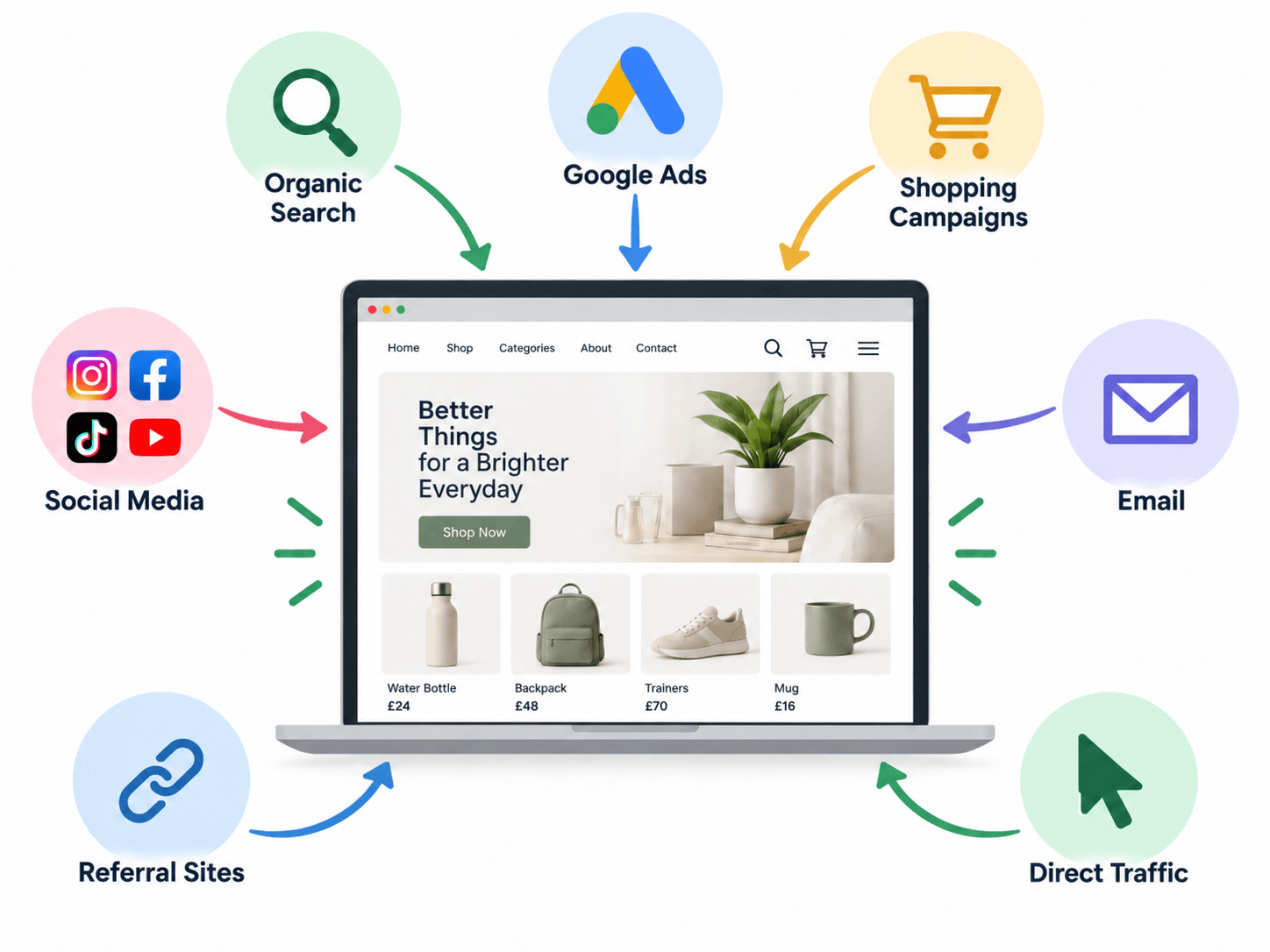
Do not automatically switch off a channel after seeing a lower conversion rate. Different channels can play different roles in the buying journey.
But do ask whether your marketing is attracting people who realistically have a reason to buy.
This is particularly important with paid advertising.
If a Google Ads or Meta campaign produces large quantities of traffic but few purchases, there are at least two broad possibilities:
Often the answer involves some combination of the two.
Increasing the advertising budget before investigating that question can magnify the problem rather than solve it.
SEO should not be viewed separately from conversion.
Ranking for a phrase that brings 1,000 irrelevant visitors is less valuable than ranking for a more specific phrase that brings 100 people who are actively looking for what you sell.
Product and collection pages should therefore be optimised around the language potential customers actually use.
Shopify lets you edit the Search engine listing for products and other content, including the page title, meta description and URL handle.
The title should describe the page accurately rather than simply cram in keywords. The meta description should give someone a reason to choose your result when it appears in search.
You can learn a lot just by looking at the meta titles and descriptions of the pages that get visibility for your competitors.
Collection pages can also be valuable SEO landing pages because they target people looking for a type of product rather than one exact item.
For example, somebody searching for waterproof walking boots for women may be better served by a useful collection containing appropriate products, filters and buying information than by being sent to one individual boot.
Useful blog content can then capture searches earlier in the decision process and point visitors towards relevant categories and products.
The important point is that SEO should bring the right people into an appropriate part of the buying journey.
The Shopify App Store makes it easy to add functionality.
That does not mean every store needs dozens of apps.
Before installing another conversion app, decide what problem you are trying to solve.
Do you need:
If you cannot define the problem, installing an app is unlikely to be the solution.
Some conversion functionality is already available through Shopify itself or its own apps. Check those capabilities before adding additional software.
Every extra tool also introduces another thing to configure, maintain and potentially pay for.
Start with the problem, then choose the technology.
Once you start examining an ecommerce store critically, it is easy to produce a list of 50 things you could change.
Doing all of them simultaneously creates another problem: you may never know which changes actually helped.
Instead, prioritise.
A sensible approach is:
Larger stores with sufficient traffic can use controlled A/B testing for appropriate changes.
Smaller stores may not generate enough volume for every change to produce statistically robust test results quickly. In those situations, analytics, customer feedback, usability testing, support enquiries and your own observations can all help identify obvious friction.
The principle remains the same: make decisions based on evidence rather than continually redesigning the store according to personal preference.
If your Shopify store receives traffic but does not generate as many sales as you believe it should, work through these questions.
Traffic without sales can have many causes. The visitors may not be the right audience, or there may be problems with the product, price, product page, trust, delivery, payment options or checkout.
Start by examining Shopify’s conversion data to see whether visitors are adding products to their baskets and progressing towards checkout. That helps narrow down where you should investigate rather than guessing.
There is no single conversion rate that every Shopify store should achieve.
Broad ecommerce benchmarks commonly sit somewhere around 2% to 3%, but differences between sectors can be substantial. Product price, purchase frequency, traffic source, device and customer loyalty all affect the figure.
Your own historic performance and appropriate industry comparisons are usually more useful than one universal target.
Start by finding the largest point of friction rather than making random design changes.
Examine how many visitors add products to their baskets, reach checkout and complete checkout. Then investigate the pages or stages connected with the largest loss.
Common opportunities include improving product information, making delivery costs clearer, adding appropriate trust signals, improving mobile usability, simplifying navigation and offering suitable payment options.
It can, but only if the additional visitors are relevant and some of them convert.
If a Shopify store has a serious conversion problem, sending substantially more traffic to it may simply increase marketing costs without generating a proportional increase in revenue.
Improving conversion and attracting appropriate traffic should therefore work together.
Improving the proportion of existing visitors who purchase is one route.
You can also look at average order value, repeat purchasing, abandoned checkout recovery, email marketing, organic search visibility, product recommendations and customer referrals.
The biggest opportunity depends on what is already happening within your store.
They work together.
SEO can attract more potential customers, while conversion rate optimisation can help more of those visitors become customers.
If you already receive significant traffic but very few sales, investigating conversion problems before investing heavily in additional traffic is sensible.
If hardly anybody visits the store in the first place, traffic generation will obviously also need attention.
There is rarely a single Shopify setting that suddenly turns an underperforming store into a successful one.
Increasing sales usually involves a series of improvements across the buying journey.
Start by understanding your conversion rate and identifying where visitors are dropping out. Then examine the most likely causes: traffic quality, product pages, navigation, trust, delivery, mobile usability, payment choices and checkout.
Improve the biggest problems first and measure what happens.
Only then should the question become how to bring substantially more traffic into the store.
Because the objective is not simply to get more people onto your Shopify website.
It is to get more of the right people to buy.
If your website is attracting visitors but not generating the level of enquiries or sales you expect, I can help you look at the wider picture – including where the traffic is coming from, what visitors experience after they arrive, and where potential customers may be dropping out.